01
Normal mode is the default
Keys are commands. Focus an input (or press i) and the page gets the keyboard back.
Vim+ adds modal navigation to Google Chrome: link hints, omnibar, a command palette, side panel, reading tools, and window docking. Aimed at people who keep dozens of tabs open and would rather type than aim. Settings stay on your machine. No account required.
Chrome Web Store listing coming soon · load unpacked in about two minutes
j k f o EscInteractive preview of the main flows · in Try it yourself, click the frame (or a key below) and type · optional video slot
The problem
Knowledge work is a rhythm of find → open → read → act → switch. Each reach for the mouse is a tiny context switch: find the cursor, aim, click, re-home your hands. Alone, it’s nothing. Across a day of docs, issues, RFCs, and PRs, it’s a tax on attention.
f — labels every link; type to openo — omnibar ranks history & tabs: — power actions by name“Each reach for the mouse is cheap. A full day of them is not.” — why a keyboard control plane helps
Screen recording
Prefer a recorded tour? Drop an MP4 here when you have one. The interactive demo above already covers hints, omnibar, palette, scroll, and find.
site/static/media/README.mdTheory
Vim+ borrows what editors got right: modes, counts, and
composable commands. It is not “Vim inside Chrome.”
It is a browser control plane that stays quiet until you need it —
then yields again with Esc.
Keys are commands. Focus an input (or press i) and the page gets the keyboard back.
Your eyes already found the link. Labels finish the job — no pixel hunting across ultrawide glass.
Keys are convenience. Run the same action from a map, the : palette, or the side panel.
Partial chords, find, hints, omnibar — cancel cleanly. Predictable exit makes modal UI safe daily.
What it does
Open, new tab, copy, hover, download. Labels appear; type to activate.
History, domains, bookmarks, tabs, windows. Hashbangs: !g !grok !gpt.
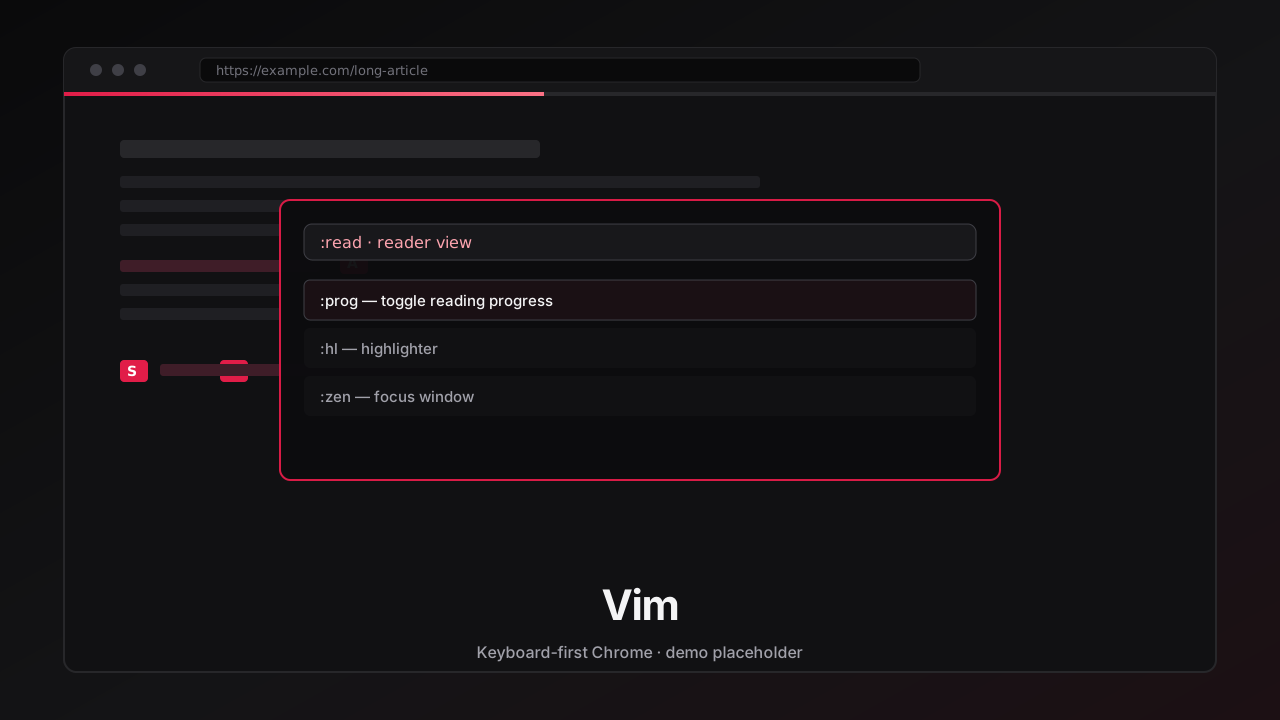
Privacy tools, tabs, dock, reader, highlighter, zen, clipboard — searchable short names.
Side panel for keys, commands, sessions, Reading List. Works when content scripts can’t.
Scroll, find, visual mode, marks, frames. Counts: 5j without five presses.
Progress bar by default, Readability reader, highlighter, focus FX, zen window.
Dock edges, maximize, cycle. Pin, mute, discard, restore closed, tab groups.
Map language, site maps, exclusions, user CSS. Start stock; shape it to your hands.
Why you should want it
Positioning
| Mouse Chrome | Generic shortcuts | Vim+ | |
|---|---|---|---|
| Open any link without aiming | Click | Rare | Hints (f) |
| History + tabs + engines UI | Address bar | Partial | Omnibar (o) |
| Discoverable power commands | Menus | Memorize | Palette : + side panel |
| Works on chrome:// gaps | Native UI | Often no | Side panel / globals |
| Reading progress + reader + HL | Extensions soup | — | Built in |
| Window docking | OS / drag | — | :win family |
| Docs that can’t 404 | Help Center | README | In-extension wiki |
| Telemetry / accounts | Varies | Varies | None required |
A day in the loop
Omnibar → fragment of a title → Enter. Or !gh issue / !grok explain….
Hints paint the page. Two keystrokes. F for a new tab if you want to keep place.
Home-row scroll. / to find. :read when the page is a wall of chrome.
Copy markdown, dock the window, mute the noisy tab, shred a domain you regret opening.
Map of everything bound — or a way in when Chrome’s own pages won’t accept keys.
Get it
Targets Chrome 121+ (Manifest V3). Free, open source, Apache-2.0.
Built for people who will read the source — and for people who just want f today.
npm ci → npm run tsc → Load unpacked).git clone https://github.com/JamalYusuf/vim-plus.git
cd vim-plus && npm ci && npm run tsc
# chrome://extensions → Developer mode → Load unpacked → repo root| j k | Scroll |
| f | Link hints |
| o | Omnibar |
| : | Command palette |
| ? | Help |
| gS | Side panel |
| Esc | Cancel / normal |
Questions
Beyond link hints and scrolling, Vim+ adds a command palette, side panel command center, reading tools (progress, reader, highlighter), window docking, hashbangs for search and AI sites, and an in-extension wiki. The aim is one coherent control plane for everyday Chrome use.
No. Learn j k f o Esc and you’re useful.
Vim muscle memory helps later; it is not a prerequisite.
Use Off for this site in the side panel, exclusions, or pass-keys. Escape hatches are first-class — not an afterthought.
This distribution is Chrome MV3-focused. Other browsers are out of scope for the product promise here.
No author-operated telemetry backend. Settings stay in your Chrome profile; sync is opt-in. AI hashbangs open third-party sites with your query — same as typing there yourself. See the privacy policy.
Tabs, history, windows, side panel, and optional privacy tools need explicit Chrome APIs. We publish store-style justifications on the permissions page — read them before installing.
Design principles
Documentation
Next step
Vim+ is free and open source for Google Chrome, by
Jamal Yusuf.
Start with j k f o Esc —
add maps only when they earn their keep.